Getting Started (Claude)
On Claude, ThAD is a connector — once it's set up, you invoke ThAD from any conversation. There's no separate place to open; ThAD is simply available whenever you want it.
You need a ThAD account first
ThAD only works for registered ThAD users. The connector can't reach your archive until you've signed up and sign in. If you're not set up yet, start here: Sign up for ThAD.
What you need
- A Claude account (Claude.ai, and ThAD also works in Claude Desktop).
- A ThAD account (see above) — required before the connector can see your documents.
- The ThAD connector — you add it once (steps below). Signing in links it to your archive; no one else can see your documents.
Connecting ThAD (one time)
ThAD connects to Claude as a custom connector. You only do this once.
- In Claude, open Settings → Connectors and choose Add custom connector.
-
Enter the name ThAD and the URL
https://mcp.thadapp.com, then click Add.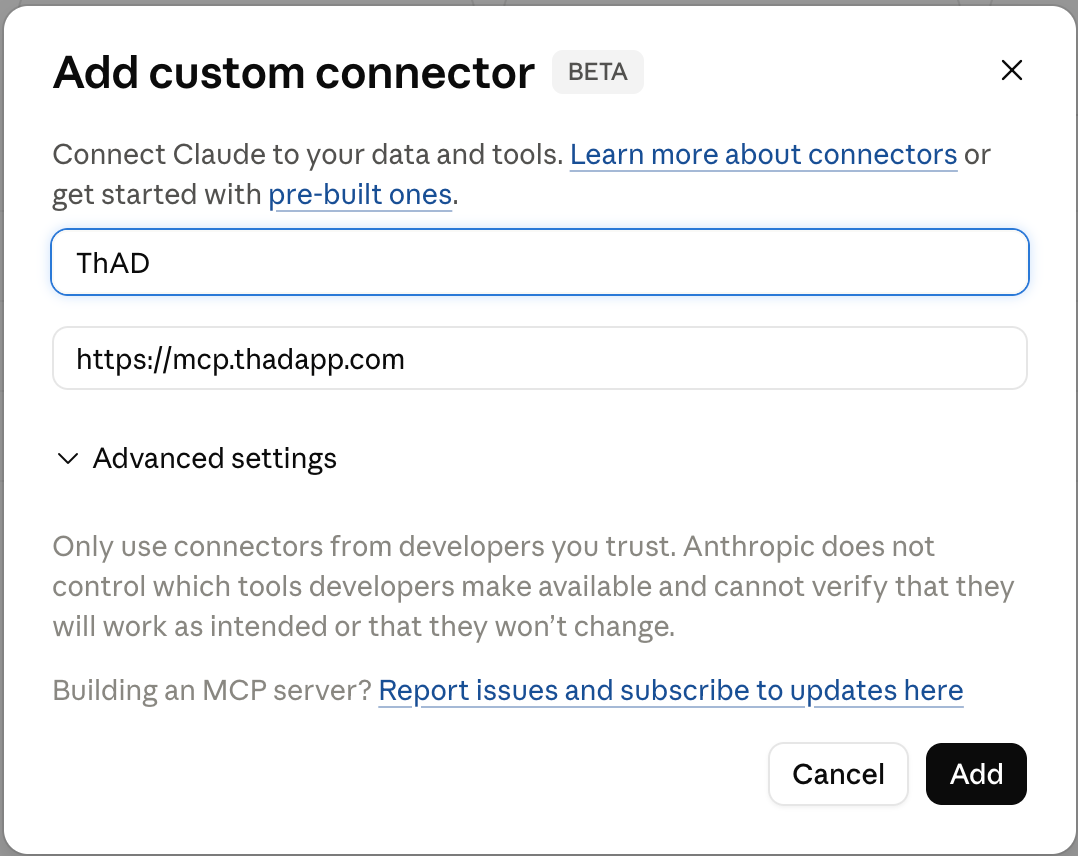
-
When prompted, sign in to authorize the connection. Enter your registered email address and click Send login link, then open the email and click the link to finish.
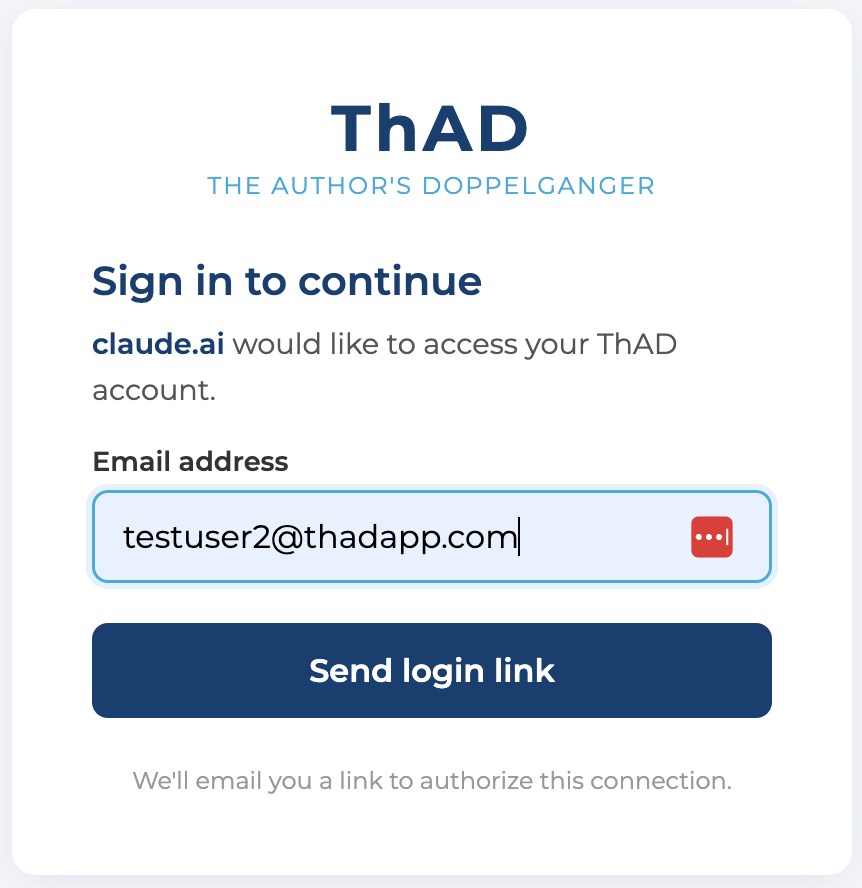
That's it — ThAD stays connected, so you don't repeat this for every chat.
Using ThAD in a conversation
Because ThAD is a connector, you don't open anything special — just start a chat and ask. In any conversation where the ThAD connector is enabled, try:
- "Ask ThAD for my Sunday briefing."
- "Search my sermons for anything on Lazarus."
- "Using my archive, how has my preaching on grace changed over the years?"
Mentioning ThAD or your archive cues Claude to use the connector. From here, the rest of this guide applies to you as written — head to Searching Your Archive or Sermon Briefings.